
Selecting MPINO-8A8R-S for eight digital inputs and eight relay outputs
Compare MPINO-8A8R-S I/O and electrical requirements, then check the MP Download Cable, Arduino IDE resources and model-specific inquiry path.
3 min read
MPINO-8A8R-S is an industrial Arduino-compatible controller built around the ATmega128-AU. It combines eight optocoupler-isolated digital inputs and eight mechanical relay outputs on one board. It also provides four analog inputs, two NTC temperature-sensor inputs, RS-485 and I²C. This guide helps you check whether the model fits your I/O list and what you need to start programming with Arduino IDE.
Check the I/O and electrical requirements
Count the digital inputs and relay outputs separately. If your design needs no more than eight of each, compare its signal and load requirements with the MPINO-8A8R-S product page and model-specific online manual. Check the input conditions, relay contact ratings and common-terminal groups in the manual before specifying the board. The four analog inputs and two NTC inputs also need to be checked against the sensors you plan to connect.
A relay output switches a contact; it does not serve as an analog or transistor output. If you need more than eight digital inputs or eight relay outputs, or a different output type, compare the models in the MPINO series.
The board provides an RS-485 interface. The product page also links to a Modbus RTU guide. Check the model manual and the other device's documentation for wiring, communication settings and register mapping. An RS-485 interface by itself does not establish compatibility with another device.
Prepare Arduino IDE and the programming cable
The board's mini 5-pin programming connector does not contain a USB-TTL converter. That converter is built into the dedicated MP Download Cable. An ordinary mini 5-pin USB cable cannot replace it for programming. Check whether the dedicated cable is included in your intended order or needs to be added; the product page lists it among the additional items.
For Arduino IDE, find the ILOGICS ARDUINO SDK in software downloads and follow the model manual's setup instructions. The online manual contains separate program examples for digital inputs, relay outputs and Modbus RTU communication. Consult the relevant terminal and setup instructions before adapting an example to your equipment.
Ask about this model
When requesting a quote, include the required input and relay counts, sensor types, communication needs, quantity and whether you need the MP Download Cable. Note any electrical or integration requirement that still needs confirmation.
Use the MPINO-8A8R-S quote page to make a model-specific inquiry. The URL specifies the model; confirm the remaining installation details for your equipment with the product documentation and supplier.
Controllers covered
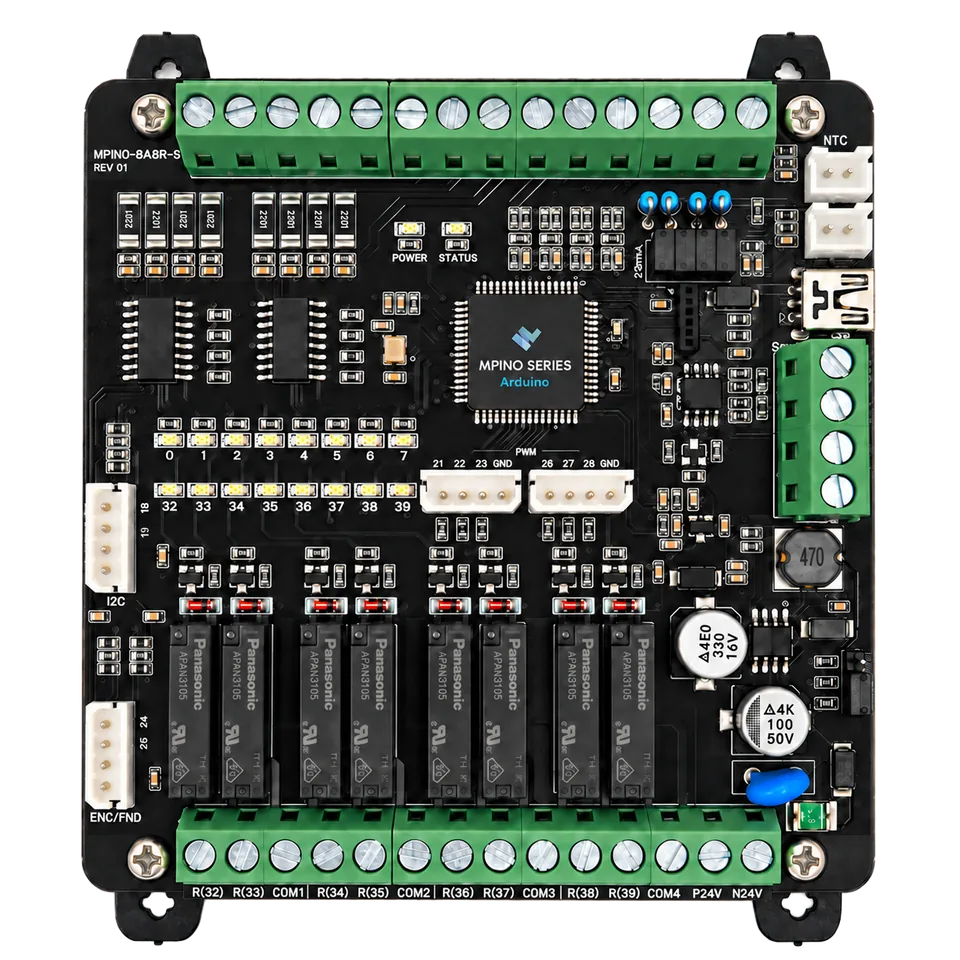
MPINO-8A8R-S
MPINO-8A8R-S Industrial Arduino Controller